Branching
Light Git Client provides full branch management for both local and remote branches, displayed in a hierarchical tree organized by path separators (e.g. feature/auth appears nested under feature).
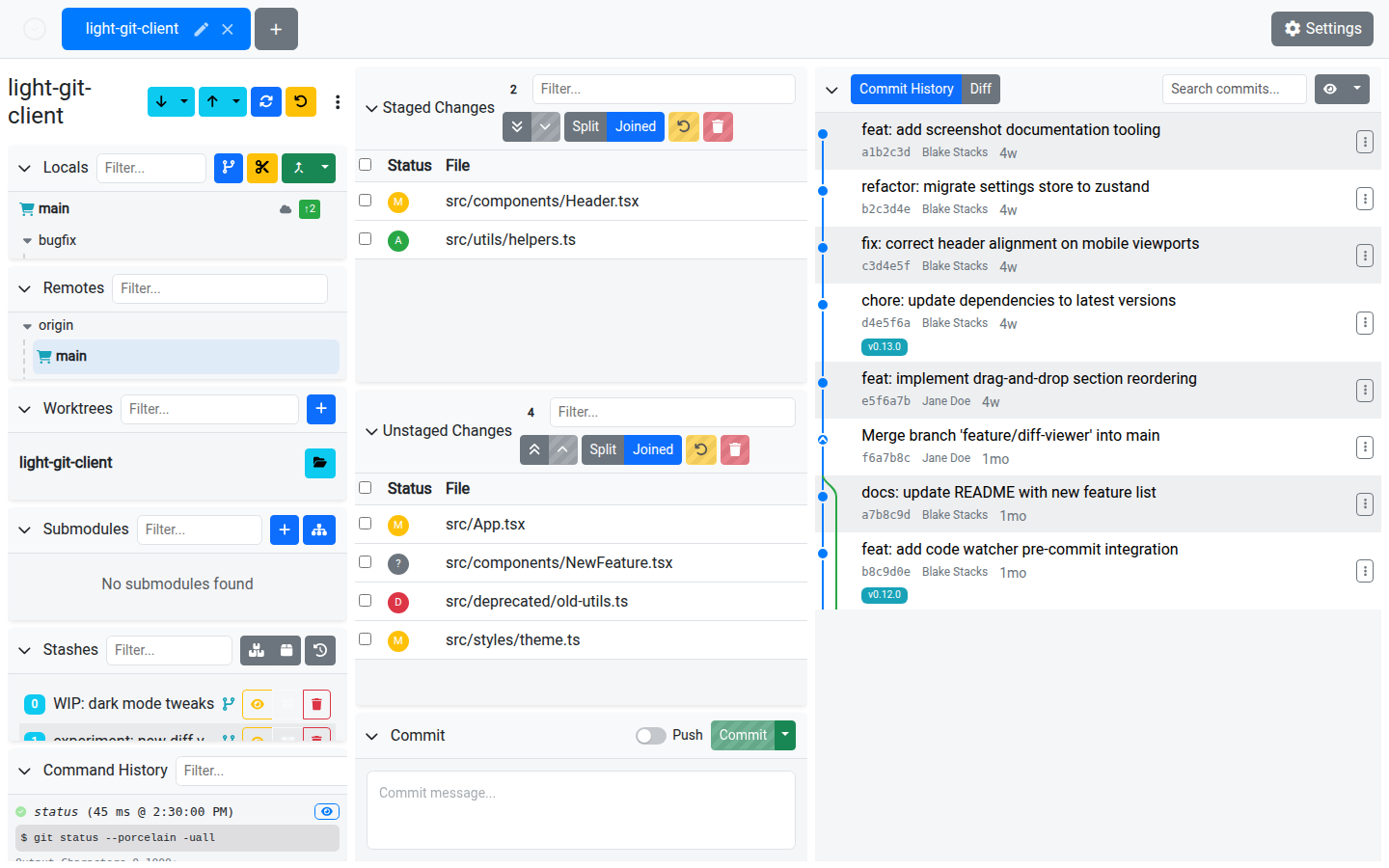
Local Branches
The Local Branches card shows all local branches with the current branch highlighted.
Operations
| Action | Description |
|---|---|
| Checkout | Click a branch to check it out. You can also "Checkout and Pull" in one step. |
| Create | Create a new branch off the current HEAD. An optional branch name prefix can be configured in Settings. |
| Rename | Rename any local branch (except the currently checked-out one). |
| Delete | Delete a local branch with confirmation. |
| Fast-forward | Fast-forward a non-current local branch that has no commits ahead of its remote tracking branch. |
| Push | Push the branch to the remote. Supports both normal and force push. |
| Pull | Pull updates from the remote tracking branch (current branch only). Supports force pull. |
| Merge | Merge another branch into the current branch via the Merge dialog. |
| Rebase | Rebase the current branch onto another branch. |
| Interactive Rebase | Start an interactive rebase session. |
| View Changes | View a pre-merge diff comparing two branches. |
Branch Indicators
- Ahead/behind badges — Show how many commits you are ahead or behind the remote. Click the ahead count to push or the behind count to pull.
- Tracking path — A cloud icon indicates a tracked remote; an unlink icon means no tracking.
- Worktree indicator — A lock icon appears when a branch is checked out in another worktree.
- Filter — Use the filter input to quickly find branches by name.
Remote Branches
The Remote Branches card displays branches from all configured remotes.
Operations
| Action | Description |
|---|---|
| Checkout | Checking out a remote branch creates a local tracking branch if one doesn't already exist. |
| Delete | Delete a remote branch with confirmation. |
| Merge | Merge a remote branch into the current local branch. |
| Rebase | Rebase the current branch onto a remote branch. |
Remote branches are also displayed in a hierarchical tree, grouped by remote name (e.g. origin/main).
Tips
- Use the branch name prefix setting to automatically prepend a prefix (e.g.
feature/,fix/) when creating new branches. - You can create a branch from any commit in the Commit History graph.
- To prune stale branches in bulk, see Prune Branches.