Settings
The Settings panel lets you configure Light Git Client's behavior, appearance, and Git integration. It's organized into four tabs.
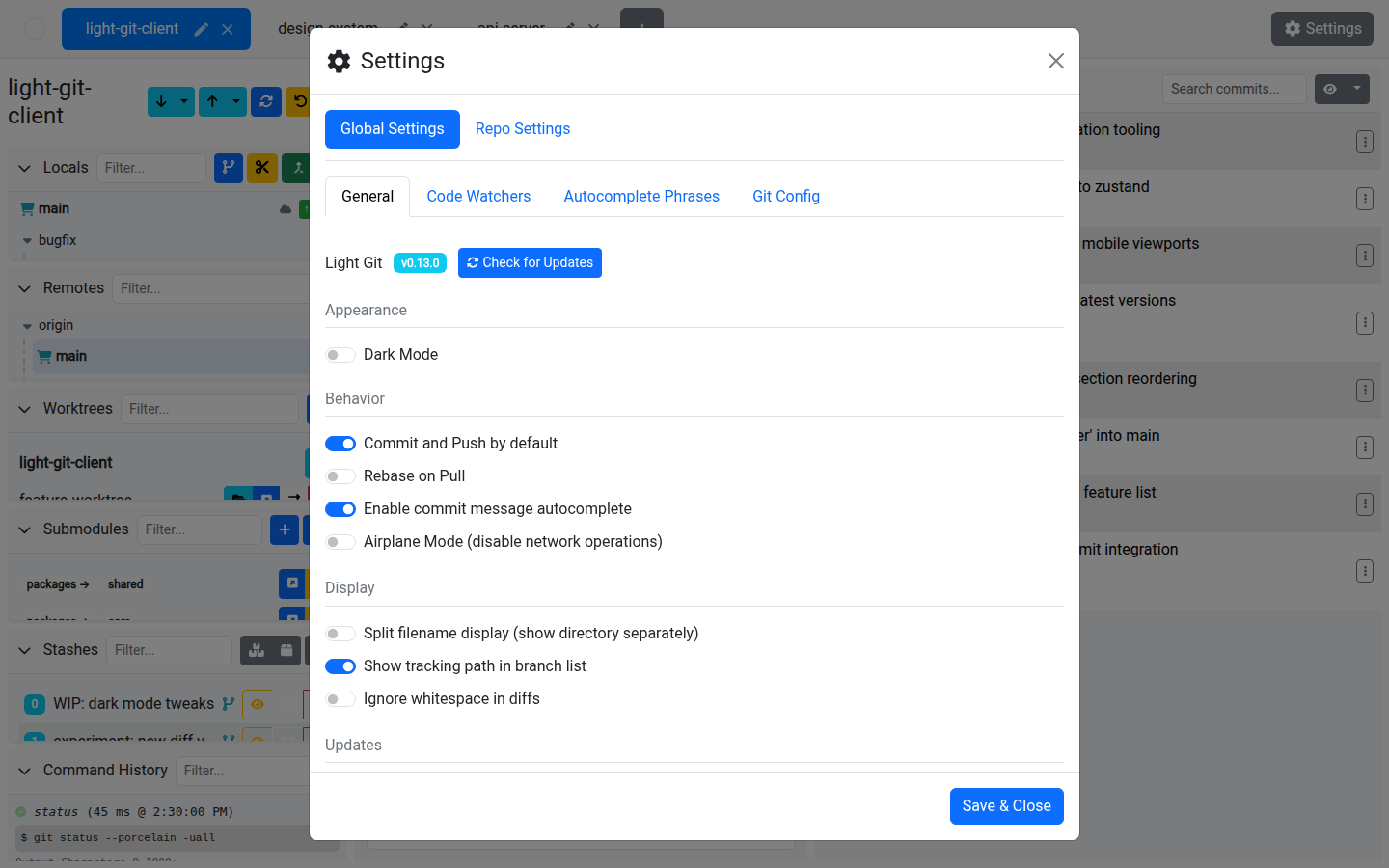
General Settings
| Setting | Description |
|---|---|
| Version Info | View the current version, check for updates, and install available updates. |
| Dark Mode | Toggle between light and dark themes. |
| Commit and Push | Enable by default to automatically push after every commit. |
| Rebase on Pull | Use git pull --rebase instead of merge when pulling. |
| Commit Message Autocomplete | Enable filename and branch name suggestions in the commit message editor. |
| Airplane Mode | Disable all network operations (fetch, push, pull) for offline work. |
| Split Filename Display | Show file paths split into directory and filename columns. |
| Show Tracking Path | Display the remote tracking branch path next to local branches. |
| Ignore Whitespace | Ignore whitespace differences in the diff viewer by default. |
| Bleeding Edge Builds | Opt in to pre-release builds for the latest features. |
| Anonymized Stats | Toggle anonymized usage statistics. |
| Branch Name Prefix | Automatically prepend a prefix when creating new branches (e.g. feature/, fix/). |
Code Watchers
Configure regex-based code watchers that scan your changes before each commit. See Code Watchers for full details.
Config Shortcuts
Quick access to common Git configuration values:
| Setting | Description |
|---|---|
| User Name | Your user.name in Git config. |
| User Email | Your user.email in Git config. |
| Mergetool Name | The name of your configured merge tool. |
| Mergetool Command | The command to launch the merge tool. |
| Credential Helper | Choose from cache, store, osxkeychain, or wincred. |
| Cache Timeout | How long cached credentials are kept (when using cache helper). |
Each shortcut can be set at the local (per-repository) or global scope.
Git Config
The full Git configuration editor:
| Feature | Description |
|---|---|
| Git Path | Set the path to the Git executable if it's not on your system PATH. |
| Bash Path | Set the path to Bash (used for some Git operations). |
| Mergetool | Configure the merge tool command. |
| Command Timeout | Set the maximum time (in seconds) to wait for a Git command before timing out. |
| Config Table | View, edit, add, and delete arbitrary Git config key/value pairs. |
| Filter & Sort | Filter and sort the config table to find specific settings. |
Tips
- Use Airplane Mode when working on a plane or in an environment without network access — it prevents accidental fetch/push failures from slowing you down
- The Branch Name Prefix setting is great for teams with naming conventions (e.g.
feature/,bugfix/,hotfix/) - If Git commands are timing out, increase the Command Timeout in the Git Config tab
- The full config editor gives you the same power as
git config --listandgit config --edit, but with a visual interface