Merge & Rebase
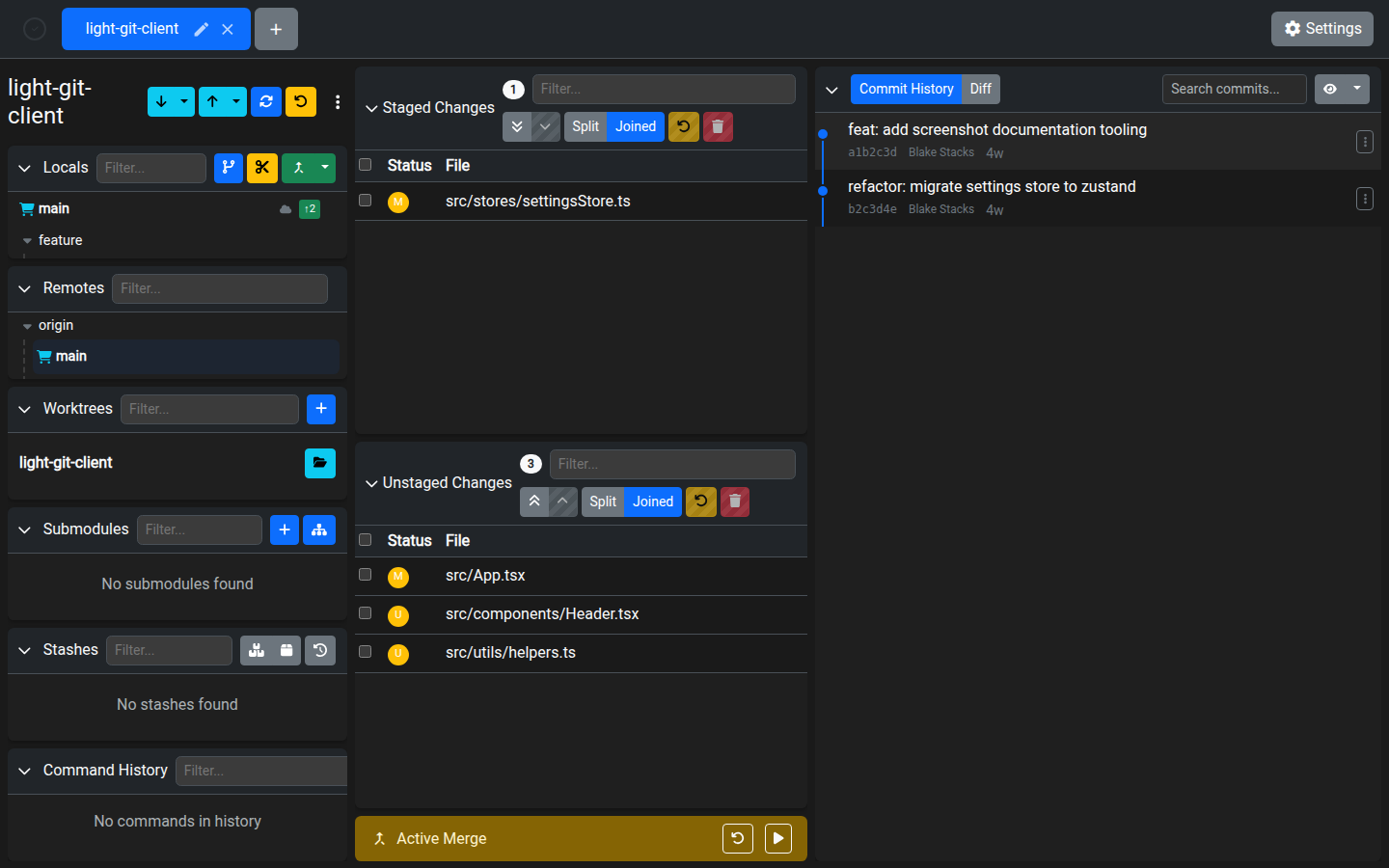
Light Git Client provides a dedicated dialog for merge and rebase operations, along with an active operation banner for managing in-progress operations and conflict resolution.
Merge Branch Dialog
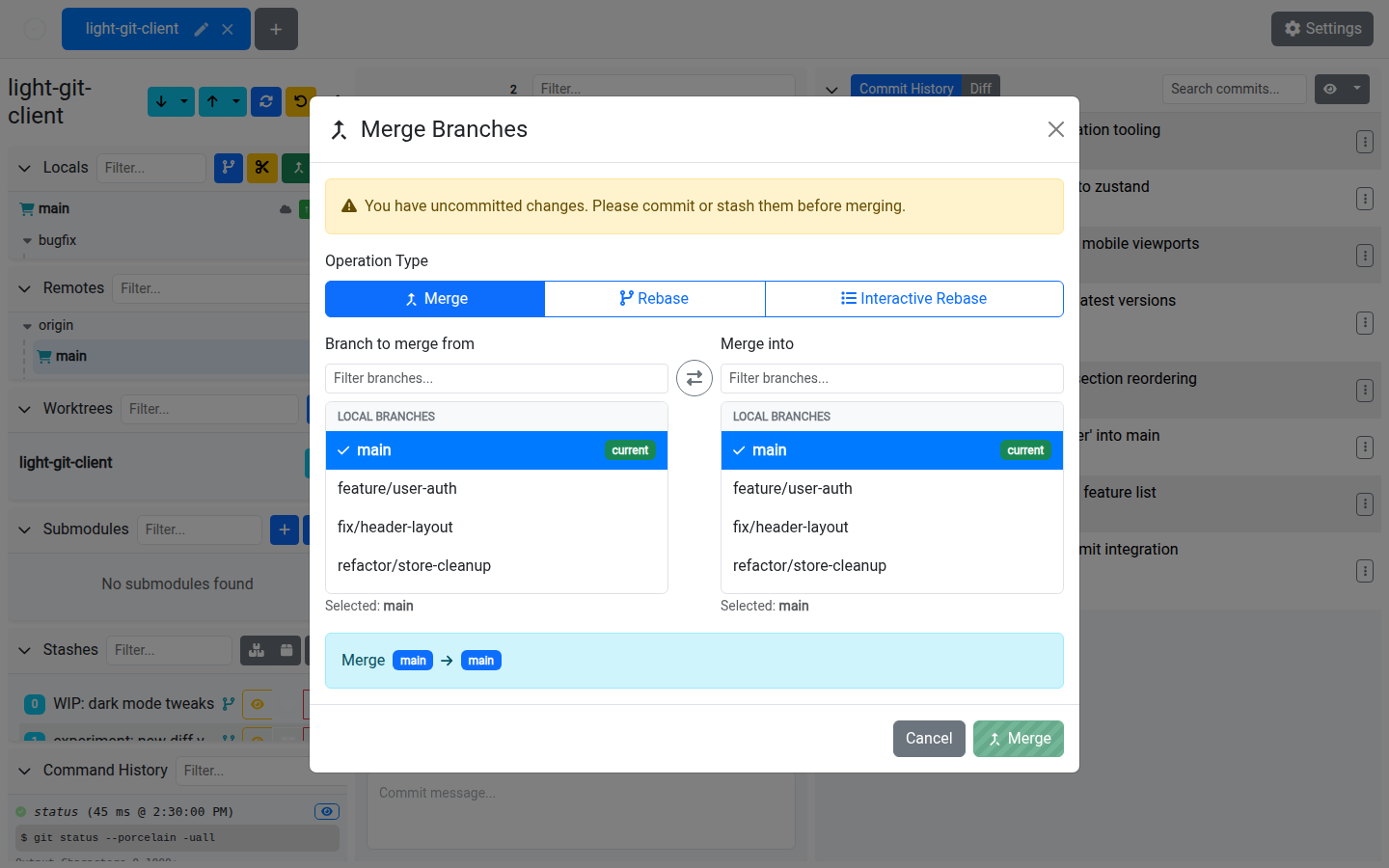
The merge dialog lets you combine branches with several strategies:
| Operation | Description |
|---|---|
| Merge | Merge the source branch into the target branch. Creates a merge commit if it's not a fast-forward. |
| Rebase | Rebase the source branch onto the target branch, replaying commits on top. |
| Interactive Rebase | Start an interactive rebase session, allowing you to reorder, squash, edit, or drop commits. |
Using the Dialog
- Select a source branch (the branch whose changes you want to integrate)
- Select a target branch (the branch to receive the changes — usually the current branch)
- Use the filter to quickly find branches
- The current branch is highlighted for easy identification
- Choose your operation: Merge, Rebase, or Interactive Rebase
WARNING
A warning is shown when you have uncommitted changes. Stash or commit your changes before merging or rebasing to avoid conflicts with your working directory.
Active Operation Banner
When a merge, rebase, cherry-pick, or revert is in progress, an Active Operation Banner appears at the top of the screen.
The banner provides:
| Action | Description |
|---|---|
| Continue | Continue the operation after resolving conflicts (e.g. after staging resolved files). |
| Abort | Abort the operation entirely and return to the state before it started. |
Conflict Resolution
When a merge or rebase encounters conflicts:
- Conflicting files appear in the Unstaged Changes card with a U (unmerged) status
- Open the Diff Viewer to review conflict markers
- Edit the files to resolve conflicts
- Stage the resolved files
- Click Continue in the active operation banner to proceed
Tips
- Use Rebase to keep a linear history — it avoids merge commits and makes the log cleaner
- Interactive Rebase is powerful for cleaning up a feature branch before merging: squash fixup commits, reword messages, or reorder commits
- If a merge goes wrong, Abort brings you back to a clean state — no damage done
- You can also trigger merge and rebase from the branch context menus in the Branching cards